If you’re running display ads this year, you’re working in a very different environment than you were even twelve months ago. Google is moving standalone Display campaigns into Demand Gen, creative AI tools are reshaping how assets are built and tested, and the way we measure upper-funnel impact is finally catching up with how display actually works.
That’s a lot of change at once.
But the core principles of effective display advertising haven’t changed. You still need a clear message, a strong visual, the right audience, and a landing page that delivers on the promise your ad just made.
This guide walks through all of it: what display ads are, what’s changing in 2026, how to build creative that performs, how to target the right people, how to measure results properly, and how to prepare for the Google Display migration to Demand Gen. Whether you’re running campaigns for an ecommerce brand, a B2B company, or a local business, we’ve organized the fundamentals so they’ll apply across the board.
What Are Display Ads?
Display ads are visual digital advertisements that appear across websites, apps, social platforms, email inboxes, retail media networks, video platforms like YouTube, and programmatic ad inventory. They come in a wide range of formats, including static images, animated banners, video, audio, and interactive elements.
You’ve seen them. That rectangle ad between paragraphs on a news site? Display ad. The banner across the top of a recipe blog? Display ad. The image ad in your Gmail promotions tab? That’s also a display ad.
What makes display different from search advertising is the intent dynamic. Search ads catch people who are actively looking for something. Display ads reach people while they’re doing something else entirely, like reading an article, watching a video, or checking the weather.
That difference in context shapes everything about how you design, target, and measure these campaigns.
The Google Display Network alone reaches over 90% of internet users worldwide through millions of websites and apps.
When you add in YouTube, Discover, Gmail, and Maps, the potential reach is enormous.
Display Ads vs. Banner Ads
This is one of the most common points of confusion in digital advertising, so let’s clear it up before we move on to greener pastures.
Banner ads are a type of display ad. They’re a specific size and format within the broader display category, not a separate thing. Or to say it another way, “all banner ads are display ads, but not all display ads are banner ads.”
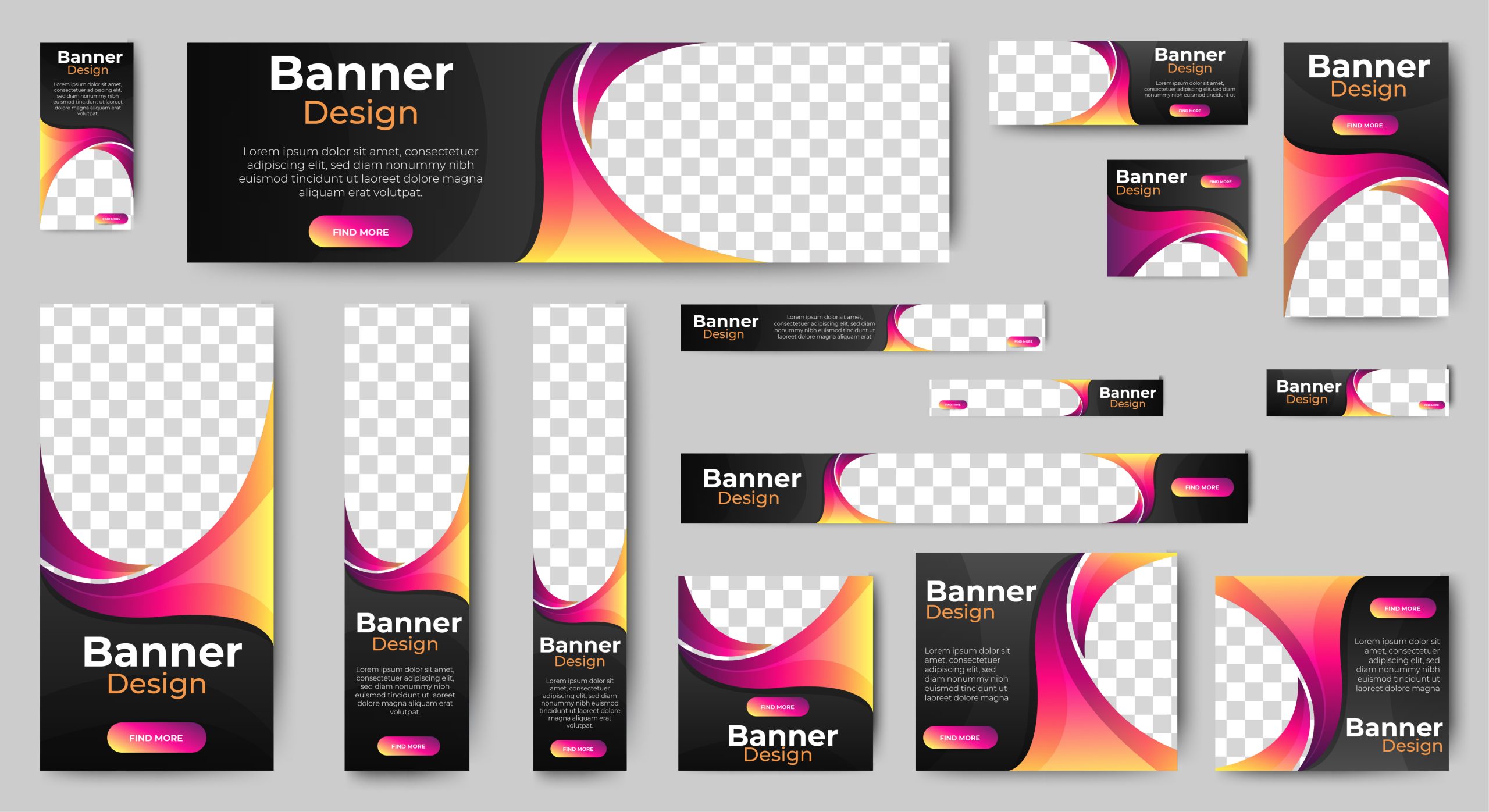
When people say “banner ad,” they usually mean a rectangular image ad in one of the standard IAB (Interactive Advertising Bureau) sizes. The most common ones you’ll encounter are:
- Medium rectangle (300×250 px): The most widely served ad size on the Google Display Network, appearing on both desktop and mobile
- Leaderboard (728×90 px): The wide, horizontal ad you see at the top of many desktop websites
- Wide skyscraper (160×600 px): The tall, narrow ad that runs along the sidebar of a page
- Large rectangle (336×280 px): A bigger version of the medium rectangle, popular in content-heavy pages
- Mobile leaderboard (320×50 px): The small banner at the top or bottom of a mobile screen
Those are all display ads, but display advertising also includes responsive ads that auto-resize to fit different placements, video ads, carousel ads, Gmail ads, and interactive formats.
What Changed for Display Ads in 2026?
This is the section you probably came here for, and it’s a big one.
Google announced that standalone Display campaigns are being phased into Demand Gen. This is one of the most significant structural changes to Google Ads in years, and it affects how you’ll build, manage, and measure display campaigns from here on out.
Here’s the timeline as Google has laid it out:
- June 2026: Eligible advertisers can begin voluntarily migrating existing Display campaigns to Demand Gen using a migration tool inside Google Ads
- Later in 2026 or 2027: New campaigns will only be available within Demand Gen; you won’t be able to create new standalone Display campaigns
- Some point in the future: Any remaining eligible campaigns that haven’t been migrated manually will be automatically migrated by Google
Display inventory itself isn’t going away. The Google Display Network (GDN) still exists, and you can still run GDN-only campaigns. The difference is where those campaigns live. Instead of being a standalone campaign type, GDN becomes an inventory channel within the Demand Gen campaign structure.
According to Google’s own data, advertisers who add GDN to Demand Gen campaigns see an average 9.5% increase in ROI. And food delivery platform GoFood reported a 24% decrease in CPA and a 19% increase in conversion volume after adding GDN inventory to their Demand Gen setup.
Those are encouraging numbers, but the transition isn’t a simple toggle switch. You’re looking at different workflows, reporting structures, creative setups, audience controls, and brand safety handling.
If you’re not prepared, the migration could disrupt campaigns that were performing well under the old architecture.
How Demand Gen Changes Display Advertising
Demand Gen campaigns serve ads across YouTube (including Shorts), Discover, Gmail, Maps (in beta), and now the Google Display Network.
Think of it as Google consolidating its visual advertising surfaces under one campaign type instead of splitting them across multiple ones.
For advertisers, this means you can reach people across all of these surfaces from a single campaign.
But it also means you need to understand how each surface behaves and how the Demand Gen workflow differs from what you were doing in standalone Display.
GDN Inventory Inside Demand Gen
When your Display campaigns migrate to Demand Gen, your access to the Google Display Network remains the same. The same inventory across millions of websites and apps is still there.
What changes is the campaign shell around it.
You can choose to run GDN-only within Demand Gen using the channel controls, which means your ads only serve on Display inventory.
Or you can open it up and let your campaign serve across YouTube, Discover, Gmail, and Maps alongside GDN. The choice depends on your goals and how much control you want over where ads appear.
Image-Only and Video-Only Demand Gen Campaigns
One of the practical questions advertisers have been asking is whether they need video to run Demand Gen.
The answer is no. You can run image-only Demand Gen campaigns that serve exclusively on GDN and other image-compatible placements. You can also run video-only campaigns if your strategy is YouTube-first.
That flexibility matters because the old Display campaign type was image-centric, and many advertisers don’t have video assets ready.
You won’t be forced into video just because the campaign wrapper changed.
Lookalike Segments and Audience-First Creative
Demand Gen gives you access to lookalike segments, which let you find new users who share characteristics with your existing customers.
This audience-first approach is especially useful for prospecting, where you’re trying to reach people who haven’t yet interacted with your brand.
The opportunity here is to pair different creative concepts with different audience segments.
Your messaging to a cold lookalike audience should look and sound very different from your messaging to someone who abandoned a cart three days ago.
Product Feeds and Carousel Ads
If you’re in ecommerce, this one matters.
Demand Gen supports product feeds, so you can dynamically show products from your Merchant Center catalog in your ads. According to Google, established Demand Gen campaigns with large product selections typically saw a 33% increase in conversions after adding product feeds. Your results will depend on your catalog, creative, and audience quality, but the signal is clear: feeds matter.
Carousel ads are also available in Demand Gen, letting you feature multiple products or messages in a single swipeable ad unit. These perform particularly well for product discovery and category browsing.
Creative Previews and A/B Experiments
Demand Gen includes built-in A/B testing (Google calls it “1-click Creative Testing” inside Asset Studio), letting you test different creative treatments against each other and see which one performs better.
This is a genuine improvement over the old Display campaign setup, where creative testing often required duplicate campaigns and manual traffic splitting.
You can also preview how your creative combinations will look across different placements before the campaign goes live. That’s helpful for catching issues like awkward cropping, unreadable text, or logo placement problems before they eat into your budget.
Brand Safety and Content Suitability Changes
Here’s one thing that should be on every advertiser’s radar during this migration.
In Demand Gen, content suitability settings are handled at the account level. The core suitability options (inventory type, content types, and labels) aren’t available at the campaign level.
Topics and placement exclusions are not generally available at the campaign or ad group level in Demand Gen, though Google’s migration feature documentation lists them as supported during the migration process. The key point is that the granularity you had in standalone Display may not carry forward the same way, so verify your exclusion setup after migration.
Why does this matter? Because if you were managing placement exclusions and content settings on a per-campaign basis in your old Display campaigns, that level of granularity changes during migration.
This is a practical risk that you should audit before migrating, because once your account-level content suitability settings are configured, they’ll apply across all your Demand Gen campaigns at once.
The Anatomy of an Effective Display Ad
No matter how much the platform changes, the anatomy of a good display ad stays remarkably consistent.
Whether you’re building a responsive display ad, a static banner, or a Demand Gen image asset, you need five core components working together.
Strong Visual
Your image does most of the work. People process visuals far faster than text, and in display advertising, the image is what earns (or loses) attention. Use high-quality, relevant images that put the product or service front and center. Avoid clutter, stock-photo clichés, and visuals that don’t connect to the message.
Clear Headline
You have maybe two seconds of someone’s attention. Your headline needs to communicate a single idea quickly. Focus on the benefit, the offer, or the problem you solve. Clever wordplay is fine as long as it’s still clear, but clarity always wins over creativity.
Short Body Copy
Most display ad formats give you very little text space, and Google’s responsive display ads sometimes serve without the description text at all. Keep your copy tight and make sure the headline can stand on its own without the description. Use the long headline field to make the core message clear, because in many placements the short headline is the only text people see.
Brand Logo
People need to know who the ad is from. A clean logo placed consistently (usually bottom-left or bottom-right) reinforces brand recognition, especially in awareness and retargeting campaigns. For responsive display ads, upload both a landscape logo (4:1) and a square logo (1:1).
CTA (Call to Action)
Tell people what to do next. “Learn More,” “Shop Now,” “Get a Demo,” “Download the Guide.” Your CTA should align with your audience’s funnel stage and intent.
These five elements are the same framework Amazon uses in its display creative guidelines, and they align with Google’s recommendations for responsive display assets. When any one of these components is weak or missing, the whole ad suffers.
Start with the Campaign Goal
Before you touch creative or audience settings, you need to know what you’re actually trying to accomplish with your display campaign.
The goal shapes everything: the creative approach, the targeting, the bidding strategy, and how you’ll measure success.
Display advertising serves a wider range of goals than most people realize:
- Awareness: Introduce your brand or product to people who don’t yet know you exist. This is the classic top-of-funnel play, and it’s where display has always been strongest.
- Consideration: Get people who know you (or are at least aware of you) to think seriously about your product or service. This is where comparison content, feature highlights, and social proof work well.
- Retargeting: Bring back people who visited your site, viewed a product, or started a process but didn’t convert. Retargeting often outperforms cold prospecting by a significant margin because the audience has already shown intent, though the lift varies by industry, audience window, offer, and creative.
- Lead generation: Drive form fills, downloads, or demo requests. This works especially well in B2B when paired with gated content like reports, whitepapers, or webinar registrations.
- E-commerce sales: Show products to people who are likely to buy, either through dynamic product feeds or promotional creative.
- App installs: Drive downloads by reaching users on mobile placements.
- Pipeline influence: For B2B companies with long sales cycles, display ads can keep your brand top of mind for buying committees across multiple touchpoints over weeks or months.
- Store visits and local discovery: Reach people near your physical locations with location-targeted display and the new Maps inventory in Demand Gen.
Here’s the thing that trips up a lot of advertisers: display often influences demand before someone ever runs a search. A prospect sees your display ad on Monday, thinks about it on Wednesday, and searches your brand name on Friday. If you’re only looking at last-click attribution, that display ad gets zero credit. The search ad gets it all.
This is why last-click reporting consistently undervalues display advertising. The impact is real, but it shows up in different places than direct-response channels.
We’ll cover how to measure this properly later in the article.
Build Creative Assets for Responsive and Demand Gen Placements
Once you know your goal, it’s time to build the creative.
For Google’s responsive display ads and Demand Gen campaigns, you’ll need a specific set of assets that Google automatically mixes and matches across different placements.
Here’s what you’ll need:
- Images. You need at least two aspect ratios for responsive display: landscape (1.91:1, recommended 1200×628 px) and square (1:1, recommended 1200×1200 px). Adding a vertical image (9:16, recommended size: 900×1600 px) provides additional coverage, especially on mobile. Upload up to 15 images, each in JPEG or PNG format, and no larger than 5 MB.
- Logos. Upload both a landscape logo (4:1 ratio) and a square logo (1:1 ratio). Keep them clean and simple, with a transparent background if possible.
- Headlines. You can add up to five short headlines (30 characters each) and one long headline (90 characters). Google will test different combinations, so write each headline so it works on its own.
- Descriptions. Up to five descriptions (90 characters each). These may or may not appear depending on the placement, so make sure your headlines carry the core message even without a description.
- Final URL. The landing page is where people go when they click. More on landing page alignment later.
- Business name. Up to 25 characters. This appears in the ad.
- CTA. Choose from Google’s list of CTA buttons or use an automated option.
- Video assets. Optional for responsive display ads (supplied via YouTube URL; Google lists 30 seconds as the preferred length), but increasingly important for Demand Gen campaigns where YouTube placements are available. Google Marketing Live 2026 introduced AI video creation through Asset Studio, making it easier to produce video assets even if you don’t have a production team.
- Carousel cards. For Demand Gen, you can create carousel ads with multiple cards, each featuring its own image, headline, and destination.
- Product feeds. Connect your Merchant Center product feed to dynamically show relevant products in your ads.
Google’s Creative Rules for Responsive Display
Google is specific about what works (and what gets your ad disapproved). Follow these guidelines:
- Use high-quality images that are clear and well-lit
- Don’t overlay your logo on the image (Google adds the logo separately)
- Don’t overlay text on the image (save your message for the headline and description fields)
- Don’t add fake buttons or misleading interactive elements
- Make the product or service the visual focus of the image
- Avoid collages or busy compositions with too many competing elements
- Keep file sizes under 5 MB and avoid overlaying text on images; put your messaging in the headline and description fields instead
Google recommends starting with at least 5 images, 5 short headlines, and 5 descriptions.
More asset variety gives Google’s machine learning more combinations to test, which generally leads to better performance over time.
Use AI to Scale Creative, Not Replace Strategy
This is one of the most timely and layered topics in display advertising right now. AI-powered creative tools have gotten dramatically better in 2026, and Google is leaning heavily into them.
At Google Marketing Live 2026, Google announced major upgrades to Asset Studio. Asset Studio can now generate and refine assets from briefs, brand guidelines, websites, and goals, and Google is integrating Gemini Omni specifically for multimodal video creation. Here’s what Asset Studio can do:
- Generate display assets from a marketing brief, brand guidelines, your website URL, and campaign goals
- Refine generated assets using natural-language prompts (“make this brighter,” “use a warmer color palette,” “focus on the product”)
- Create video assets with multimodal AI capabilities
- Run 1-click A/B testing directly from the asset creation workflow
That’s genuinely useful for scaling creative production.
If you need to produce 50 variations of a display ad across multiple languages, sizes, and audiences, AI can do in hours what once took a design team weeks.
But here’s where we need to draw a clear line.
AI is a production tool, not a strategy tool. It can generate asset variations, resize images, localize copy, explore concept directions, and accelerate testing.
It should not be making decisions about your brand positioning, your offer strategy, the accuracy of your claims, regulatory compliance, or whether a particular creative is right for a particular audience.
Before you publish any AI-generated display ad, review it for these things:
- Does it follow the anatomy of an effective ad (visual, headline, copy, logo, CTA)?
- Are the claims accurate, truthful, and compliant with your industry’s regulations?
- Does the creative match the audience it’s targeting?
- Does the landing page deliver on the promise the ad is making?
- Does the ad look and feel like your brand?
Creative strategy and brand alignment are exactly the kind of work where having an experienced team in your corner makes a real difference, because AI can generate a hundred ad variations, but someone still needs to decide which ones actually belong in front of your customers.
Match Creative to Funnel Stage
One of the biggest missed opportunities in display advertising is running the same creative to every audience.
A first-time visitor and a repeat customer are in completely different headspaces, and your ads should reflect that.
Here’s a framework we use at Uptick for matching creative to where someone is in the buying process:
Awareness stage. These people don’t know your brand yet, or they’re just becoming aware of a problem they have. Your creative should focus on the problem or pain point, the product category, or a brand story that resonates. The CTA should be low-commitment: “Learn More” or “See How It Works.”
Consideration stage. These people know the problem and are evaluating solutions. Show them product benefits, comparisons, testimonials, case studies, or specific proof points. The CTA can push a bit harder: “See How It Works,” “Compare Plans,” or “Watch the Demo.”
Retargeting stage. These people have already visited your site, viewed specific products, or started a process (but didn’t finish it). Your creative should be specific: show the exact product they looked at, reference the offer they almost took, or remind them about the demo they didn’t book. CTAs here should be direct: “Get Started,” “Complete Your Order,” or “Claim Your Offer.”
B2B pipeline stage. For B2B with longer sales cycles, display ads can serve reports, webinars, case studies, or demo invitations to people in buying committees. The creative should address specific pain points that resonate at the decision-maker level. CTAs like “Download the Report,” “Register for the Webinar,” or “Book a Demo” work well here.
E-commerce sales stage. Product images, promotions, urgency cues, and dynamic product feeds are your tools here. “Shop Now,” “Save 20% Today,” or “Free Shipping This Week” are all strong CTAs for this stage.
The key principle: don’t mix cold prospecting and retargeting in the same campaign structure if their goals, creatives, and success metrics don’t match or complement each other.
Separate them so each audience gets the message that matches where they are.
Target the Right Audience
Your creative can be perfect, but if it’s showing up in front of the wrong people, none of it matters.
Here are the targeting methods we recommend you build from:
First-party data. Your own customer data is your most valuable targeting asset. This includes website visitors, app users, CRM contacts, and purchase history. Cookie availability is fragmented by browser settings, privacy regulations, and platform changes, so first-party data and privacy-safe measurement are more important than ever.
Customer lists. Upload email lists or phone numbers to target existing customers or create seed audiences for lookalike modeling. Clean, current data makes a measurable difference here.
Remarketing. Target people who’ve already interacted with your brand: visited specific pages, added items to cart, watched a video, or downloaded a resource. Remarketing audiences are warmer and more likely to convert, which is why retargeting campaigns tend to outperform cold prospecting by a significant margin.
Lookalike segments. Available in Demand Gen, these let you find new users who resemble your best existing customers. You can set the segment to be narrow (more similar) or broad (more reach), depending on your priorities.
In-market intent. Google identifies users who are actively researching or comparing products in specific categories. These audiences are already in buying mode, making them valuable for consideration and conversion campaigns.
Contextual targeting. Place your ads on pages that are relevant to your product or service. Contextual targeting is seeing a resurgence as cookie-based targeting has become less reliable, and it works well for brand safety because you can choose the content environment your ads appear in.
Placement strategy. Hand-pick specific websites, apps, or YouTube channels where you want your ads to appear. This gives you maximum control over the context but limits your scale.
Exclusions. Just as important as where your ads show is where they don’t show. Exclude irrelevant placements, low-quality apps, sensitive content categories, and competitor sites if needed. Review your placement reports regularly.
Geo and device segmentation. Target by location, device type, or operating system when your offering or your data shows meaningful performance differences across these dimensions.
Funnel-stage segmentation. Layer these targeting methods by funnel stage. Use lookalike and in-market audiences for prospecting, remarketing, and customer lists for mid-funnel, and cart abandoners and high-intent visitors for bottom-funnel.
The critical point here: don’t mix cold-prospecting and remarketing audiences into a single campaign if they have different goals, creatives, and KPIs.
Keep them separated so you can measure and optimize each one on its own terms.
Align the Landing Page with the Ad
You can run the best display ad in the world and still lose the conversion if the landing page doesn’t follow through.
The handoff from ad to page needs to feel smooth, like a continuation of the same conversation rather than a jarring shift.
Google’s own best-practice guidance specifically recommends providing a relevant landing page where the ad’s message is clearly reflected.
This isn’t just a quality recommendation. Google factors landing page relevance into ad quality and auction performance.
Here’s a quick checklist to make sure your ad and landing page are aligned:
- Same offer. If the ad promotes 20% off, the landing page should reflect that discount. Sounds obvious, but mismatches happen more often than you’d think.
- Same product or category. If the ad features a specific product, the landing page should feature that product, not a generic homepage.
- Same visual promise. The imagery, color scheme, and overall look should feel connected between the ad and the page.
- Same audience intent. If the ad targets people researching a problem, the landing page should educate. If the ad targets people ready to buy, the landing page should make it easy to complete the purchase.
- Fast load speed. A slow landing page kills conversions. Google recommends load times under three seconds on mobile. Every additional second of delay increases bounce rates.
- Clear CTA above the fold. Don’t make people scroll to find out what to do next. The primary action should be visible immediately.
- Mobile-friendly page. Because mobile accounts for a large share of digital ad consumption and ad spend, your landing page needs to work flawlessly on phones. No pinch-to-zoom, no tiny buttons, no horizontal scrolling.
- Conversion tracking active. This one is easy to overlook and incredibly important. If your tracking isn’t set up correctly, you’re flying blind. Confirm that conversion tags, event pixels, and any attribution tools are working before you launch.
Measure Display Ad Performance Correctly
Here’s where many advertisers get display campaigns wrong. They judge them by the same metrics they use for search ads, and then conclude that display “doesn’t work.”
But display and search fundamentally do different jobs, and they should be measured differently.
Display advertising operates across the full funnel, so you need a measurement approach that accounts for both direct and indirect impact.
Here are the metrics that matter:
Direct Performance Metrics
- Impressions: How many times your ad was served. This tells you about reach and share of voice.
- Reach: The number of unique users who saw your ad, distinct from impressions because one user can see your ad multiple times.
- Frequency: How many times, on average, each person saw your ad. Too low and they don’t remember you. Too high and you’re burning budget on diminishing returns. Google automatically manages frequency in Demand Gen, so you need to monitor impression-to-conversion ratios closely for signs of audience fatigue.
- CTR (click-through rate): The percentage of people who clicked after seeing your ad. Older third-party benchmark data often cited in WordStream-style roundups puts the cross-industry Google Display average around 0.46%, which sounds low until you remember that display is an interruption-based format, not a search-intent format. Retargeting campaigns typically perform well above that average because the audience has already shown intent.
- CPC (cost per click): What you pay per click. Older third-party benchmark data suggests the average Display CPC runs around $0.63, compared to several dollars for Search. Display delivers reach at a fraction of the cost, though actual CPCs vary widely by industry and targeting.
- CPM (cost per thousand impressions): Useful for awareness campaigns where impressions and reach are the goal.
- CPA (cost per acquisition): What you pay per conversion. This is the metric most direct-response advertisers optimize toward.
- ROAS (return on ad spend): Revenue generated divided by ad spend. The gold standard for e-commerce.
- Conversion rate: The percentage of clicks that result in a conversion. Older third-party benchmarks suggest average display conversion rates fall roughly between 0.5% and 1.3%, depending on the industry and whether you’re looking at prospecting or retargeting, but your mileage will vary.
Assisted and Indirect Metrics
This is where display’s real value often hides, and it’s where we spend a lot of time helping our clients look past the surface numbers.
- View-through conversions: People who saw your ad but didn’t click, and then converted through a different channel later. This is one of the most important display metrics and one of the most frequently ignored.
- Assisted conversions: Conversions where display was part of the path but wasn’t the last click. Check this in Google Analytics under the conversion paths report.
- Branded search lift: An increase in branded search queries after display campaigns launch. If more people are searching for your company name, your display ads are working even if they didn’t generate direct clicks.
- Brand lift: Google offers Brand Lift studies that measure recall, awareness, and consideration through survey-based research.
- Search lift: Measures the incremental increase in search activity attributable to your display (or Demand Gen) campaigns.
- Conversion lift: A controlled experiment that isolates the incremental conversions caused by your campaign. Google’s Demand Gen help center references conversion lift as one of the primary measurement tools, alongside brand lift and search lift.
- Incrementality: The broader concept of asking, “Would this conversion have happened without this ad?” Incrementality testing is the most rigorous way to understand display’s true contribution.
- Pipeline quality (B2B): For B2B companies, track not just lead volume but whether display-sourced leads move through the sales pipeline at the same rate and deal size as other channels.
- Revenue influenced: How much revenue was touched by a display ad at some point in the buying journey.
Google Marketing Live 2026 introduced several measurement upgrades worth knowing about.
Meridian, Google’s open-source marketing mix model, is now integrated into Google Analytics 360, making it easier to understand cross-channel contribution.
Demand Gen campaigns now also benefit from Campaign Type Attribution, designed to better capture the full conversion value of Demand Gen and make it easier to evaluate its contribution alongside other channels.
And a new metric, Qualified Future Conversions (QFCs), connects short-term user actions with long-term revenue signals.
This is designed to solve exactly the problem we’ve been talking about: proving the value of display when the conversion happens days or weeks later through a different channel.
Prepare for the Google Display to Demand Gen Migration
If you’re currently running standalone Display campaigns in Google Ads, you need a migration plan.
Voluntary migration using Google’s tool started rolling out in June 2026, and eventually, all eligible campaigns will be migrated automatically. The migration tool carries over 42 days of performance history, which minimizes the learning period to roughly one to two days and helps you avoid a cold start.
Here’s a practical checklist to get your account ready:
- Export current Display campaign settings. Document everything: bidding strategies, budgets, ad scheduling, location targets, device adjustments, and audience definitions. You’ll want this as a reference point.
- Record baseline performance by campaign, ad group, audience, placement, device, and creative. Before anything changes, capture a snapshot of what’s working. You’ll need this to evaluate whether the campaign was helped, hurt, or held steady through the migration.
- Audit placements, app exclusions, topic exclusions, content suitability, and brand safety settings. This is the big one. Remember that Demand Gen handles content suitability at the account level, and topic and placement exclusions aren’t generally available at the campaign or ad group level. Make sure your account-level settings are locked down before you migrate.
- Separate prospecting from remarketing. If you have campaigns that mix cold and warm audiences, now is the time to split them. Different audiences need different creatives, different bidding, and different success metrics.
- Review customer lists and first-party data quality. Clean, current, and well-segmented data gives Google’s algorithms better signals. Stale or sloppy data degrades performance.
- Prepare image, video, carousel, and product-feed assets. Demand Gen supports a broader range of creative formats than old Display campaigns did. Having video and carousel assets ready from day one gives you more options.
- Decide on image-only vs. mixed-image-and-video campaigns. If you don’t have video yet, that’s fine. Run image-only. But consider planning a video production timeline so you can take advantage of YouTube placements when you’re ready.
- Confirm conversion tracking and conversion values. Make sure your conversion actions, attribution models, and value settings are correct before migration. Fixing tracking issues after migration makes it impossible to cleanly compare before-and-after performance.
- Review your audience and lookalike strategy. Demand Gen’s lookalike segments work differently from Display’s audience targeting. Familiarize yourself with the options and plan how you’ll structure audience segments in the new format.
- Plan A/B experiments before judging the migration. Don’t migrate and immediately compare to your old numbers. Give the new campaigns time to learn, and set up proper experiments to isolate what’s actually changed.
- Compare post-migration performance using conversion lift, search lift, or channel-level reporting. These tools give you a more accurate picture than last-click metrics alone. Google’s Demand Gen reporting now includes Campaign Type Attribution, which is designed to better capture the full conversion value of your Demand Gen campaigns.
If you want help planning your migration, we do that regularly for our clients. Reach out, and we’ll make sure nothing falls through the cracks.
Display Ad Examples and Creative Patterns
Rather than just showing screenshots, let’s walk through the creative patterns that tend to work well across different situations.
These patterns are adaptable to responsive display ads, static banners, and Demand Gen image and carousel assets.
Product-focused ad. The product is the hero. Clean background, well-lit product image, price or feature callout, and a “Shop Now” CTA. This pattern works best for e-commerce and direct-response campaigns where the product itself is the selling point.
Offer-led ad. The offer is the headline: “25% Off,” “Free Shipping,” “Buy One, Get One Free.” The image supports the offer rather than dominating it. This pattern drives urgency and works well for retargeting and promotional campaigns.
Pain-point ad. The headline calls out a problem the audience recognizes: “Tired of Slow Shipping?” “Struggling with Payroll?” The image reinforces the frustration or teases the solution. This works well for awareness and consideration campaigns, especially in B2B.
Social proof ad. A customer quote, a star rating, a “Rated #1” badge, or a trust signal like “10,000 Businesses Trust Us.” This pattern builds credibility and works at every funnel stage, but it’s especially effective in the consideration phase.
Report or webinar ad. A cover image of a report, a speaker headshot for a webinar, or a data visualization that makes the viewer want to see the rest. “Download the 2026 Digital Marketing Report” or “Join Our Free Webinar.” This is a B2B staple for lead generation.
Retargeting ad. Dynamic product images from the feed, an abandoned cart reminder, or a “Still Thinking About It?” headline. The more specific this ad is to the user’s actual behavior, the better it performs.
Local discovery ad. Features a location, a map pin, store hours, or a “Visit Us Today” CTA. With Demand Gen now supporting Maps inventory, local discovery through display is becoming a stronger play for brick-and-mortar businesses.
Carousel ad. Multiple cards showing different products, features, or steps. Each card has its own image, headline, and destination. This pattern works well for highlighting a product line, walking through a process, or telling a sequential brand story.
Video-assisted display ad. A short video (15 to 30 seconds) used as a display asset on YouTube or other video-enabled placements. These can introduce a brand, demonstrate a product, or tell a customer story in ways static images can’t.
CTV-style placement. Connected TV ads that appear during pause screens, menu overlays, or between streaming content. These are newer but growing quickly, and they bring display principles to the living room screen.
Common Display Ad Mistakes
We see these regularly across the accounts we audit, and each one eats into your budget or your results.
Treating display like search. Display and search serve different purposes. Display builds awareness and keeps your brand visible. Search captures active intent.
If you expect display to convert at search-level rates with search-level CTRs, you’ll be disappointed, and you’ll pull budget from a channel that’s actually doing its job.
Overcrowding the creative. More information is not better in a 300×250 ad. You have a fraction of a second to communicate one idea.
Pick the most important thing and let the landing page do the rest.
Using tiny text. If someone can’t read your headline on a mobile phone, they’ll scroll past it. Design for the smallest screen first and scale up, not the other way around.
Weak CTA. “Click Here” tells people nothing. “Submit” is even worse. Your CTA should tell the user what they’ll get and what to do: “Get Your Free Quote,” “See the Full Collection,” “Download the Guide.”
No landing page match. If your ad promotes a specific offer and the landing page shows your homepage, you’ve just lost the connection that earned the click in the first place. Always send people to a page that delivers on the promise the ad made.
No audience segmentation. Running one display campaign to everyone is like putting up a billboard on every highway and hoping the right people notice. Segment by funnel stage, intent level, and audience type.
No frequency control. Showing the same ad to the same person 47 times doesn’t make them more likely to convert. It makes them annoyed.
Monitor frequency and rotate creative before fatigue sets in. In Demand Gen, where frequency management is automatic, keep a close eye on your impression-to-conversion ratios.
Optimizing only for CTR. Older third-party benchmarks put the average display CTR at around 0.46%, meaning the vast majority of people who see your display ad don’t click. That doesn’t mean the ad failed.
View-through conversions, assisted conversions, and branded search lift often tell a very different story. Measure the full picture.
Ignoring assisted impact. If you only look at last-click attribution, display will almost always underperform.
Check your multi-touch attribution reports, run conversion lift studies, and measure branded search volume. That’s where display’s contribution shows up.
Letting AI generate off-brand creative. AI creative tools are powerful, but they don’t know your brand the way your team does.
Always review AI-generated assets for accuracy, brand fit, and compliance before they go live.
Migrating to Demand Gen without auditing exclusions and measurement. This is the newest mistake and potentially the most expensive.
If you migrate without checking your account-level content suitability settings, placement exclusions, and conversion tracking, you could end up with ads in places you don’t want them and no way to measure what happened.
Display Ad Checklist for 2026
Before you launch (or relaunch) your display campaigns, run through this list:
- [ ] Campaign goal defined (awareness, consideration, retargeting, conversions, pipeline)
- [ ] Audience strategy built by funnel stage, with prospecting and remarketing separated
- [ ] First-party data clean, current, and uploaded
- [ ] Image assets in landscape (1200×628), square (1200×1200), and vertical (900×1600)
- [ ] Logos in landscape (4:1) and square (1:1)
- [ ] At least five headlines and five descriptions written
- [ ] Video assets prepared (or a plan to create them)
- [ ] Product feed connected (if ecommerce)
- [ ] Landing pages aligned with ad messaging, offers, and audience intent
- [ ] Landing pages fast, mobile-friendly, and conversion-tracked
- [ ] Content suitability settings configured at the account level
- [ ] Placement exclusions and topic exclusions reviewed
- [ ] A/B testing plan in place for creative variations
- [ ] Measurement framework covers assisted conversions, view-throughs, and brand/search/conversion lift
- [ ] Migration plan documented if moving from standalone Display to Demand Gen
- [ ] AI-generated creative reviewed for accuracy, brand fit, and compliance
FAQ
-
What are display ads?
Display ads are visual digital advertisements that appear across websites, apps, social platforms, email inboxes, retail media networks, YouTube, and programmatic inventory. They can include images, video, animation, audio, and interactive elements.
-
Are display ads the same as banner ads?
No. Banner ads are one type of display ad. Display advertising is the broader category that includes banners, responsive ads, video ads, carousel ads, native ads, and more.
-
Are Google Display campaigns going away?
The standalone Display campaign type is being phased out. Display inventory (the Google Display Network) is not going away. It’s moving into the Demand Gen campaign structure as an inventory channel. You can still run GDN-only campaigns from within Demand Gen.
-
What is changing with Google Display and Demand Gen in 2026?
Starting June 2026, Google is rolling out a migration tool to move existing Display campaigns into Demand Gen. Later, new standalone Display campaigns won’t be an option. Eventually, all remaining eligible Display campaigns will be automatically migrated.
-
Can I still run Display-only campaigns in Google Ads?
Yes. Within Demand Gen, you can use channel controls to serve ads exclusively on the Google Display Network. The campaign type is different, but the inventory access remains the same.
-
What makes a display ad effective?
Five components: a strong visual, a clear headline, short body copy, a brand logo, and a CTA that matches the audience’s funnel stage. Everything else builds on those foundations.
-
What are responsive display ads?
Responsive display ads are Google’s default display format. You upload images, logos, headlines, and descriptions, and Google automatically combines and resizes them to fit different ad placements across the Display Network.
-
What image sizes should I use for display ads?
For responsive display ads, you need landscape (1.91:1, recommended 1200×628 px) and square (1:1, recommended 1200×1200 px). Vertical (9:16, recommended 900×1600 px) is optional but recommended. For static uploaded ads, the top sizes are 300×250, 728×90, 160×600, 336×280, and 320×50.
-
Should I use AI to create display ads?
AI is excellent for scaling asset production: generating variations, resizing, localizing, and testing. But it shouldn’t replace human judgment on strategy, brand fit, regulatory compliance, or creative direction. Use AI as a production tool and keep a human in the review seat.
-
How do I target display ads effectively?
Combine first-party data, remarketing audiences, lookalike segments, in-market intent, contextual targeting, and placement strategy. Segment by funnel stage and keep prospecting and remarketing in separate campaigns with separate creative and KPIs.
-
How do I measure display ad performance?
Look beyond CTR and last-click conversions. Include view-through conversions, assisted conversions, branded search lift, conversion lift studies, and revenue influenced in your measurement framework. Google now offers Campaign Type Attribution and Qualified Future Conversions in Demand Gen to connect upper-funnel spend with downstream results.
-
What is a good CTR for display ads?
Older third-party benchmarks put the cross-industry average for Google Display ads around 0.46%. Retargeting campaigns typically perform well above that average because the audience already has intent. A “good” CTR depends on your industry, audience, and campaign goal. More importantly, CTR alone doesn’t tell the full story for display.
-
How often should display ad creative be refreshed?
There’s no universal answer, but creative fatigue is real. Monitor your frequency and performance trends. When CTR starts declining, conversion rates drop, or frequency gets too high, it’s time for new creative. Many advertisers refresh display creative every four to eight weeks, with more frequent updates for retargeting campaigns.
-
What is the difference between Demand Gen and Performance Max?
Demand Gen gives you more control over audience targeting, creative placements, and reporting. It serves ads on YouTube, Discover, Gmail, Maps, and GDN. Performance Max is a more automated campaign type that serves across all Google channels (Search, Display, YouTube, Gmail, Maps, Discover) with less manual control. Think of Demand Gen as the campaign you use to create intent, and Performance Max as the campaign that captures it.
-
How should I prepare for the Google Display migration?
Export your current campaign settings, document baseline performance, audit your account-level content suitability and exclusion settings, separate prospecting from remarketing, prepare creative assets for the new format, confirm conversion tracking, and plan A/B experiments before judging the results. Start early rather than waiting for automatic migration.
Display advertising in 2026 is more complex than ever, but also more capable. The move from standalone Display to Demand Gen gives you access to new surfaces, new creative formats, and better measurement tools.
The advertisers who will get the most from this transition are the ones who prepare thoughtfully, build creative with purpose, and measure the full picture rather than just the last click.
If you want help building display campaigns that actually perform, or if you need a hand with the Demand Gen migration, we’re here for it. Contact Uptick today, and let’s build something that works for your business.